You probably do not remember signing up. That is exactly how it works.
Somewhere between a busy week in March and a vacation you were counting down to, a $19.99 charge landed on your card and then quietly renewed itself eleven more times. It came from an AI tool you opened twice, liked for about four minutes, and never thought about again. By the time you spotted it buried between a gas station receipt and your phone bill, you had paid roughly $240 for a browser tab you never used.
If that stings, you are in enormous company. CNET’s 2026 subscription survey found the average American now spends about $111 a month on subscriptions, roughly $1,332 a year, and around $252 of that goes toward services nobody is actually using. And the one federal rule designed to make canceling painless, the Federal Trade Commission’s “click to cancel” regulation, was struck down by the Eighth Circuit Court of Appeals on July 8, 2025, only days before it was supposed to take effect.
Which brings us to the part you came here for. In 2026, you do not need to hand anyone a credit card to get genuinely powerful AI. Not a stripped down demo. Not a seven day countdown clock. Real tools, with real free tiers, that a lot of paying customers would struggle to tell apart from the paid version on a normal workday.
Here is the honest, tested list.
So What Are the Best Free AI Tools in 2026?
The best free AI tools in 2026 are ChatGPT, Google Gemini, Claude, Microsoft Copilot and Perplexity for chat and research, Canva and Adobe Firefly for images, Grammarly and QuillBot for writing, NotebookLM for study and research, and GitHub Copilot Free for code. None require a credit card.
That is the short answer. The rest of this guide explains what each free tier actually gives you, where the wall is, and how to stack several free tools together so you never hit that wall in the first place.
Why “No Credit Card Required” Matters More Now Than It Did Last Year
There is a meaningful difference between a free tier and a free trial, and companies count on you blurring the two.
A free tier ends with a polite message telling you that you have hit your limit for the day. A free trial ends with a charge. That is the entire distinction, and in 2026 it carries more weight than it used to, because the consumer protection landscape got shakier rather than stronger.
The FTC finalized its Negative Option Rule in October 2024. It would have required clear disclosure before a free trial converted to a paid plan, separate consent for the recurring charge, and a cancellation path as simple as the signup path. A three judge panel of the Eighth Circuit vacated the entire rule on procedural grounds in July 2025. The FTC has since restarted the process, submitting an advance notice of proposed rulemaking on January 30, 2026, and it still enforces against deceptive subscription practices under existing law. But the specific protections you might have assumed were in place are not currently in force at the federal level.
Meanwhile, AI has become one of the fastest growing lines on the American subscription bill. The most reliable way to avoid an unwanted AI charge is not to be a diligent calendar keeper. It is to never give the card in the first place.
How These Free AI Tools Were Chosen
Every tool on this list had to clear six tests:
- No payment method required at signup. An email address or an existing Google, Microsoft or GitHub login is the most it should ask for.
- Free forever, not a countdown. No auto conversion on day eight, day fifteen or day thirty.
- Useful on day one. The free tier has to finish a real task, not tease you with three generations and a paywall.
- Available across the United States without a workaround.
- Actively maintained, with a free tier that has existed for at least six months.
- A published privacy policy that tells you plainly whether your inputs may be used for model training.
One caveat worth repeating, because free tiers move fast: limits change without much warning. Treat the numbers here as a snapshot and check the vendor pricing page before you build a workflow around a specific quota.
The Adoption Gap Nobody Talks About (And Why It Is Your Opening)
Here is a number that surprises most people. Despite the noise, most American businesses are not using AI yet.
The U.S. Census Bureau tracks this directly through its Business Trends and Outlook Survey, which polls a rotating sample of about 1.2 million businesses every two weeks. Across the six months from December 14, 2025 to May 3, 2026, the share of U.S. businesses reporting AI use in their operations held between 17 and 20 percent, with 20 to 23 percent expecting to use it within six months. Adoption skews heavily toward the large end: about 37 percent of firms with at least 250 employees reported using AI, compared with under 20 percent of firms with four or fewer employees. By sector, Information sat at 39.7 percent and Finance and Insurance at 33.9 percent, against a national rate of 19.8 percent. Retail trade came in near 14 percent.
Consumers are moving faster than the companies they work for. Pew Research Center surveyed 5,119 U.S. adults in February 2026 and found that about half now use AI chatbots, with 44 percent reporting they have used ChatGPT, up from 34 percent a year earlier and 18 percent in 2023. Among adults under 50, usage climbs to roughly 63 percent. Roughly a quarter of Americans use a chatbot every day.
Put those two datasets side by side and the picture gets interesting. Individual Americans have adopted AI at nearly triple the rate of the businesses they run and work for. And the U.S. Small Business Administration’s Office of Advocacy counts 36.2 million small businesses in the country, 99.9 percent of all U.S. firms, employing 62.3 million people and generating 43.5 percent of GDP.
That gap is the opportunity. If you are a solo consultant, a shop owner, a freelancer or a two person marketing team, free AI tools let you operate at a level that was budgeted at enterprise scale eighteen months ago. You are not late. Most of the market has not started.
| What the Data Says | Figure | Source |
| U.S. businesses using AI (Dec 2025 to May 2026) | 17% to 20% | U.S. Census Bureau, BTOS |
| Firms with 250+ employees using AI | About 37% | U.S. Census Bureau, BTOS |
| Information sector AI use (May 3, 2026) | 39.7% | U.S. Census Bureau, BTOS |
| U.S. adults who use AI chatbots | About 50% | Pew Research Center, June 2026 |
| U.S. adults who have used ChatGPT | 44% | Pew Research Center, June 2026 |
| Small businesses in the U.S. | 36.2 million (99.9% of firms) | SBA Office of Advocacy, 2026 |
| Average monthly U.S. subscription spend | $111 | CNET 2026 Subscription Survey |
| Annual waste on unused subscriptions | $252 per adult | CNET 2026 Subscription Survey |
Best Free AI Chatbots and Free ChatGPT Alternatives
This is the category where free wins hardest. Every major general purpose assistant has a real free tier, and for most everyday work the free version is genuinely enough.
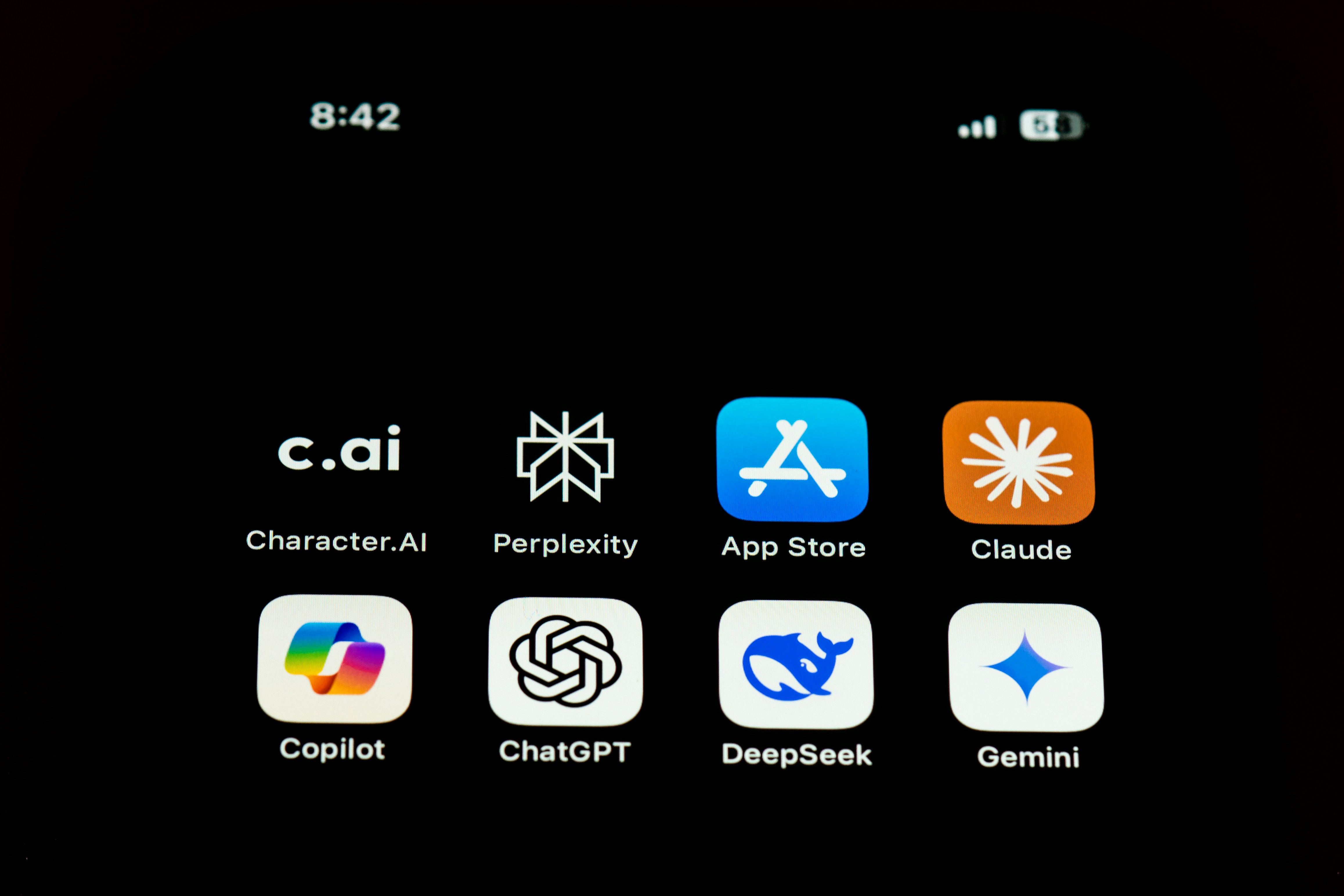
ChatGPT
Still the default, and still the safest single choice if you only want one tool. The free tier handles drafting, summarizing, brainstorming, basic image generation, file uploads and web browsing. You will hit message caps during heavy sessions and get shifted to a lighter model, which is annoying but not a wall. Best for: general writing, quick answers, anyone new to AI.
Google Gemini
If you already have a Gmail address, you already have this. Gemini’s free tier is strong on everyday drafting, research and brainstorming, and it plugs into the Google apps you probably live in. Best for: Google Workspace users, students, anyone who does not want another account.
Claude
The one to reach for when you need to paste in something long. Claude handles large documents and detailed analysis unusually well on the free tier, which makes it a favorite for contract review, research summaries and heavy editing. Best for: long document work, analysis, nuanced writing.
Microsoft Copilot
Free with a Microsoft account, built into Windows and Edge. If your workday already runs through Word, Outlook and Excel, this is the shortest path from question to answer. Best for: Windows users and office workflows.
Perplexity
A research assistant more than a chatbot. It cites its sources inline, which matters when you need to verify a claim instead of trusting a confident paragraph. Best for: research, fact checking, competitive analysis.
There are also strong open and low cost challengers worth knowing, including DeepSeek, Mistral’s Le Chat and Meta AI, all of which offer free access. If you want maximum privacy, running an open weight model locally through a tool like Ollama costs nothing and never sends your text anywhere, though it asks more of your hardware.
Best Free AI Writing Tools
Writing is where free AI tools deliver the most obvious return, because the work is high volume and mostly invisible. Nobody praises you for a clean email. They just notice when it is not.
- Grammarly Free. Grammar, spelling, punctuation and tone detection across your browser, email and documents. The free plan alone will noticeably lift your professional writing.
- QuillBot. Paraphrasing, summarizing and a citation generator. Useful for tightening bloated paragraphs and for turning a research dump into something readable.
- Hemingway Editor. The free web version scores readability and flags passive voice and tangled sentences. Not strictly AI, but it pairs beautifully with a chatbot draft.
- ChatGPT or Claude. For first drafts, outlines, subject lines, headlines and rewriting. Feed one an outline and your own voice notes, and you get something you can actually publish after an edit.
A practical workflow that costs nothing: outline in Claude, draft in ChatGPT, tighten in Hemingway, polish in Grammarly. Four tools, four minutes, zero dollars.
Best Free AI Image Generators
Free image generation has changed more than any other category in the past year. Two years ago you got a handful of muddy pictures a month. Now you can run a small brand’s entire visual output on free tiers if you are strategic about it.
- Canva. The best all around pick for non designers. The free plan bundles AI image generation, background removal and Magic Write into a drag and drop editor, and the template library does most of the design thinking for you.
- Adobe Firefly. Monthly free credits and a model trained on licensed content, which matters if you are nervous about commercial use.
- Microsoft Designer and Bing Image Creator. Free with a Microsoft account. Fast, decent quality, good for social graphics.
- Leonardo AI. Refreshing daily credits and a huge library of community style presets. Strong for illustration and concept work.
- Ideogram. The one that reliably renders readable text inside an image. Use it for posters, logo concepts and thumbnails.
One warning. Free tiers sometimes include watermarks or restrict commercial use. Before you put a generated image on a product page or an ad, read the license terms for the specific tool. This is the single most common mistake small businesses make with free AI image generators.
Best Free AI Productivity Tools for Work
If your goal is simply to get your evenings back, this is the section that matters.
- NotebookLM, now branded Gemini Notebook. Upload documents, PDFs and links, then ask questions grounded strictly in those sources. It also generates audio overviews that sound like a podcast about your own files. The free tier is generous and the caps are daily rather than permanent.
- Otter.ai. Free meeting transcription with speaker labels and searchable notes. Stop typing while people talk.
- Google AI Studio. Completely free with a Google account. Test prompts, build small automations and experiment with models without a subscription or a card.
- Microsoft Copilot in Edge. Summarize any page, any PDF, any long report, in the browser you already have open.
- Zapier free plan. A limited but real automation allowance that connects your AI tools to your inbox, spreadsheets and forms.
Best Free AI Tools for Students
Students are the heaviest AI users in America. Pew found that roughly 63 percent of adults under 50 use chatbots, and among teens, about six in ten say students at their school use chatbots to cheat at least somewhat often.
That second number is the reason to be careful. Used well, these tools make you a faster learner. Used lazily, they make you a person who cannot write without them, and most universities now run detection and honor code policies that treat submitted AI text as academic dishonesty. Check your school’s policy before you use any of these on graded work.
- NotebookLM. The single best free study tool available. Load your lecture slides, textbook chapters and notes, then generate summaries, study guides, flashcards and quizzes from your own material.
- Perplexity. Research with citations you can actually follow back to a source, which is exactly what a professor will ask for.
- Grammarly and QuillBot. Proofreading and citation formatting.
- Khan Academy. Free structured lessons across math and science, and a long track record of actually teaching rather than answering.
- Claude. Ask it to explain a concept three ways, then to quiz you on it. Learning, not outsourcing.
Best Free AI Tools for Small Business and Freelancers
Given that the SBA counts 36.2 million small businesses employing nearly 46 percent of the private workforce, and that Census data shows the smallest firms have barely moved on AI, this is where free tools change outcomes rather than just saving a few dollars.
- Canva. Social posts, flyers, menus, pitch decks, product mockups. Replaces a design retainer for most early stage needs.
- HubSpot free CRM. Contact management, deal tracking and email tools with AI assistance, at no cost and with no seat minimum.
- ChatGPT or Claude. Proposals, quotes, service descriptions, follow up sequences, job descriptions, and the customer email you have been avoiding all week.
- Otter.ai. Client call transcripts that become your scope document and your paper trail.
- Microsoft Clarity. Free website heatmaps and session recordings with AI generated insights, so you can see where buyers are dropping off.
A note on data. Do not paste customer social security numbers, patient information, banking details or signed contracts into a consumer free tier. Free plans generally do not come with the compliance commitments that regulated data requires. Strip identifying details first, or keep that work in a paid business plan.
Best Free AI Tools for Coding
GitHub Copilot Free is the standout because the terms are published clearly. Signing in with a personal GitHub account gets you 2,000 code completions and 50 chat requests per month, at no cost and with no card required. It works in Visual Studio Code, Visual Studio, JetBrains and Neovim. For a hobbyist or a student, 2,000 completions is roughly 80 per working day, which is a lot.
If you need more headroom, Google AI Studio is free to use with a Google account, and running an open weight model locally through Ollama removes quotas entirely at the cost of your own hardware.
How to Build a $0 AI Stack That Actually Saves You Time
The trick is not finding one perfect free tool. It is combining three or four so that when one hits its daily cap, you move to the next without breaking your rhythm.
| If you are a… | Your free stack | What it replaces |
| Freelancer or consultant | Claude + Canva + Grammarly + Otter.ai | Copywriter, designer, editor, note taker |
| Small business owner | ChatGPT + Canva + HubSpot free CRM + Microsoft Clarity | Marketing help, CRM subscription, analytics tool |
| Student | NotebookLM + Perplexity + Grammarly + QuillBot | Tutoring, study guides, proofreading service |
| Content creator | ChatGPT + Ideogram + Canva + CapCut | Writer, illustrator, designer, video editor |
| Office professional | Microsoft Copilot + Gemini + Otter.ai + Zapier free | Meeting notes, summarizing, manual data entry |
| Developer | GitHub Copilot Free + Google AI Studio + Ollama | Paid coding assistant subscription |
Total monthly cost for any row above: zero dollars.
What Free Actually Costs You
No credit card does not mean no tradeoff. Here is what you are really paying with.
Your data may train the model
On many consumer free tiers, your conversations can be used to improve the product. Most major tools now let you turn this off in settings, and you should look for that toggle on day one. The FTC has publicly warned companies that quietly rewriting a privacy policy to permit AI training on previously collected data may be an unfair or deceptive practice, and it has required firms to delete models built on improperly obtained data. That is real enforcement pressure, but it is not a substitute for reading the settings page yourself.
Rate limits arrive at the worst moment
Free tiers cap messages, generations or credits, usually on a daily or monthly cycle. This is exactly why the stacking strategy above matters.
Commercial rights vary
Some free image tiers restrict commercial use or add watermarks. Verify before you monetize anything you generate.
Free tiers can shrink
Every quota in this article is a snapshot of mid 2026. Companies tighten free plans when costs rise. Export anything important rather than treating a free tool as permanent storage.
Five Mistakes to Avoid With Free AI Tools
- Signing up for a “free trial” instead of a free tier. If it asks for a card, close the tab and find an alternative from this list.
- Trusting output without checking it. AI tools state wrong things confidently. Pew found that among Americans who get news from chatbots, about half say they at least sometimes see information they believe is inaccurate. Verify anything with numbers, names or dates.
- Pasting sensitive data into a consumer account. Client records, health information, financial details and anything under an NDA stay out.
- Using ten tools when three would do. Tool sprawl is its own productivity tax. Pick a stack, learn it well, and stop browsing.
- Publishing raw AI output. Readers can tell, and so can search engines. Use these tools to draft faster, then bring your own judgment, your own examples and your own voice.
When It Is Actually Worth Paying
Free should be your default, not your religion. Three signals mean it is time to upgrade.
- You are hitting the same limit multiple times a week and losing more than an hour to workarounds.
- You need a compliance guarantee, a business agreement, or a promise that your inputs are excluded from training.
- The tool has become load bearing for revenue, and downtime or a quota would cost you a client.
Until one of those is true, run free. Then upgrade one tool, not five. And put a calendar reminder on the renewal date the same day you subscribe.
The Bottom Line
The most capable AI tools ever built are sitting behind a signup form that asks for nothing but an email address, at the exact moment most American businesses have not started using them. Census data puts business adoption between 17 and 20 percent. Pew puts consumer chatbot use around half the adult population. The people quietly winning right now are the ones who noticed that gap and started with the free tier instead of waiting for a budget approval.
Pick one tool from this list. Use it on one real task today. Keep your card in your wallet.
Frequently Asked Questions
What are the best free AI tools in 2026?
ChatGPT, Google Gemini, Claude, Microsoft Copilot and Perplexity for chat and research. Canva, Adobe Firefly, Leonardo AI and Ideogram for images. Grammarly and QuillBot for writing. NotebookLM for study and research. Otter.ai for meetings. GitHub Copilot Free for code. All are free to start and none require a credit card.
Are there really free AI tools with no credit card required?
Yes. Every tool named in this article can be used without entering payment information. The distinction to watch is free tier versus free trial. A free tier limits your usage. A free trial charges your card when the clock runs out. If a signup form asks for a card, it is a trial.
What is the best free ChatGPT alternative?
Google Gemini is the easiest switch if you already use Gmail, since there is no new account to create. Claude is the better choice for long documents and detailed analysis. Perplexity is the strongest option when you need cited sources. Microsoft Copilot is the natural fit if your work lives in Windows and Office.
Can I use free AI tools for commercial work?
Usually for text, often for images, but always check the specific terms. Some free image tiers add watermarks or restrict commercial use, and licensing differs from tool to tool. Read the terms of service for the exact plan you are on before using output in ads, on products or on client work.
Are free AI tools safe to use with business data?
Treat consumer free tiers as public by default. Many use your inputs to improve their models unless you turn that setting off, and free plans generally do not carry the compliance commitments that regulated data requires. Never paste social security numbers, health records, banking details or confidential contracts into a free account.
What are the best free AI tools for students?
NotebookLM is the strongest free study tool because it works only from the sources you upload. Pair it with Perplexity for cited research, Grammarly for proofreading and QuillBot for summarizing. Always check your school’s academic integrity policy before using AI on graded work.
What are the best free AI tools for small business?
Canva for design, HubSpot free CRM for customer management, ChatGPT or Claude for proposals and customer communication, Otter.ai for client call notes, and Microsoft Clarity for website analytics. That stack covers marketing, sales and operations at no cost.
Do free AI tools have usage limits?
Yes, nearly all of them. Limits are usually daily or monthly and reset automatically. GitHub Copilot Free, for example, publishes a limit of 2,000 code completions and 50 chat requests per month. The practical workaround is stacking two or three tools that do similar things so you can switch when one caps out.
How much money can free AI tools actually save me?
A comparable paid stack of four AI subscriptions typically runs between $60 and $100 a month, which is $720 to $1,200 a year. For context, CNET found the average American already spends about $1,332 a year on subscriptions overall and wastes roughly $252 of that on services they never open.
Will these free AI tools stay free?
The major free tiers exist to bring people into an ecosystem, so the model itself is stable. Individual limits, however, change regularly. Verify current quotas on the vendor pricing page before you build a workflow around a specific number, and export anything you cannot afford to lose.
References and Sources
1. U.S. Census Bureau. “AI Use Grew Between December 2025 and May 2026 Across Firm Sizes and Sectors,” Business Trends and Outlook Survey, May 2026.
https://www.census.gov/library/stories/2026/05/ai-use-businesses.html
2. Pew Research Center. “Americans’ Views on AI Chatbots, Smart Devices and AI’s Impact,” June 17, 2026.https://www.pewresearch.org/internet/2026/06/17/americans-and-ai-2026-chatbots-smart-devices-and-views-on-impact/
3. U.S. Small Business Administration, Office of Advocacy. “Frequently Asked Questions About Small Business, 2026,” February 2026.
https://advocacy.sba.gov/wp-content/uploads/2026/02/FINAL_FAQsAboutSmallBusiness_2026_012826.pdf
4. Federal Trade Commission. “AI (and other) Companies: Quietly Changing Your Terms of Service Could Be Unfair or Deceptive,” Tech at the FTC.
5. Sidley Austin LLP. “U.S. FTC Click-to-Cancel Rule Struck Down,” analysis of Custom Communications, Inc. v. FTC, Eighth Circuit, July 8, 2025.
https://www.sidley.com/en/insights/newsupdates/2025/07/us-ftc-click-to-cancel-rule-struck-down
6. GitHub. “GitHub Copilot Plans and Pricing,” free plan limits.
https://github.com/features/copilot/plans
7. CNET 2026 Subscription Survey, as reported by WCPO and NBC affiliates. “Subscription creep: average adult wastes $252 a year on unused services,” July 2026.